GridGame: A simple python library for games.
So this is a relatively short post about a simple library for games in python I wrote about a month ago. So let me give a little background to understand the motivation I had for writing this library and its purpose.
Before leaving Sudan, during my final undergrad exam season I was asked a pair of younger students for advice on how to enter the field of machine learning, more specifically, they wanted to participate in EEESE (an annual student project fair at my undergrad university) with machine learning projects. They both had relatively little experience with programming and no experience with python and wanted me to supply them with some introductory material and some pointers after the exams so I happily agreed. Directly after after exams and defending my undergrad dissertation I left to start my masters, so It was maybe a few weeks after the request until I had settled down and had the time to get in touch with the younger students. By that time the pair had become a group, and I decided to hold a group messenger call to get an idea of what kind of content they wanted and their current level of skills. Most of them were new to programming and almost all of them were new to python. So before doing any machine learning I gave them all some introductory python material (this website is great, and I always recommend it to programming newbies who want to start with python). While they were doing that I was thinking of short projects that would take a few days at most for people at their level to do after finishing the introductory course. The reason for this is that from my experience, tutorials where all the exercises only a few lines long are not enough to get comfortable with programming. Don’t get me wrong, they are essential in the beginning to digest the basic ideas and get used to the syntax, but to get truly comfortable with writing code one must get their hands dirty with something slightly larger. Simple games strike me as falling into the appropriate size and complexity, however my experience with pygame – the most widely known python library for games – made me decide against suggesting pygame as a library for them to use. It brings with it quite a few details and a respectable amount of boiler-plate code for even the simplest of games. Furthermore, its documentation although quite good for more experienced developers, did not strike me as particularly friendly for beginners.
Enter GridGame …
GridGame (github repo) is a python library is a very simple and minimalist library I wrote designed to be user friendly and easy going on programming/python newbies.
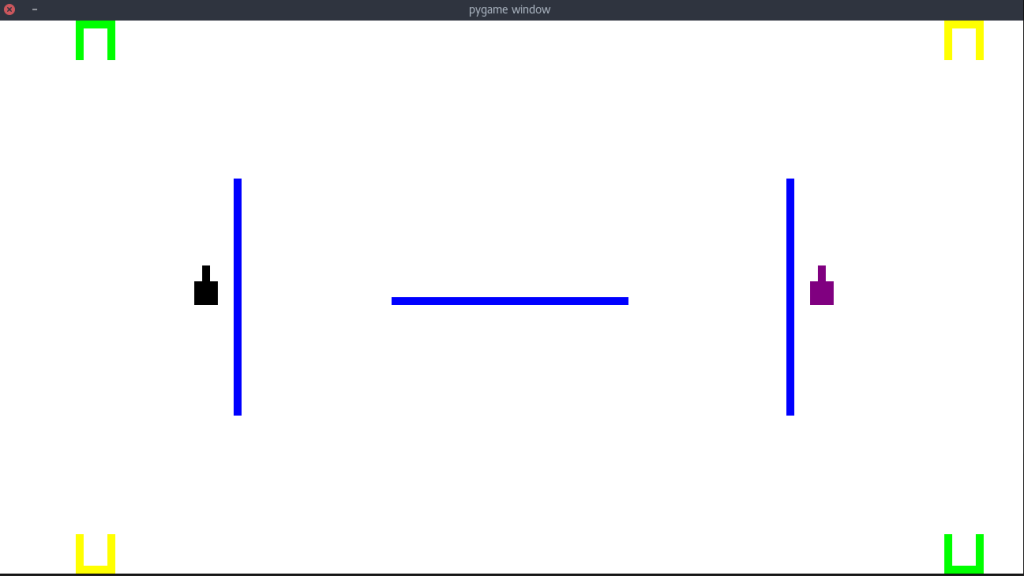
GridGame uses pygame a backend, but is designed to abstract away the annoying details. The name comes from the fact that the screen is interfaced a by 2D grid. On initialization, you can set the dimensions of each grid cell. If you want fine grain control of your graphics you could set it to 1 pixel by 1 pixel, but if you want to do something quick and dirty you could set it something much larger and make more course drawings (an old black and white Atari style handheld gaming device where each individual screen “pixel” was about 1cm x 1cm comes to mind, if you can remember its exact names please share in the comments), or anything in between. After defining the size of each grid cell (known in the API as squares) the cells become the smallest unit of interacting with the GUI. You can draw on the screen by coloring each square individually and mouse events are reported by the grid coordinates of the square where they happened. Keyboard events are also available and that is pretty much it.
I put effort into making the overhead a minimal as possible. All overhead code is just two lines, one line to instantiate the GUI and specify its dimensions, and another line to refresh the GUI that needs to be called at the end of every game loop (it flushes all drawing commands to the screen and enques all events). For communicating events I use only python primitives (a tuple containing all the information about the event). I also put some work into sanity checking all parameters passed by the user and throwing helpful exceptions that give strong hints of what was wrong, this is especially useful in python where with the dynamic typing passing parameters of wrong type sometimes throws cryptic exceptions from deep in the belly of a library.
Wile the library might seem to be lacking many bells and whistles of other game libraries, but this simplicity is exactly the motivation for the library’s existence. I am not against adding more features (as long as the core API does not change and the API for the new features remains simple), but I most likely will not have the time any time soon (pull requests are more than welcome).
In the repo there is a link to a full API reference as well two simple examples which showcase almost the entire API.
The real test for this library was when I gave it to the students back home I am mentoring, they had no complaints and for programming novices, they produced quite impressive stuff. Here are some samples:
The code lacks a bit when it comes to style, but that is something that will improves over time, but doing this will have definitely given these students a big boost in their confidence in their coding skills, especially since they produced something with real world value that they could potentially show to family and friends.
Finally I would like to end this post with a shout out to my masters program AMMI which actually requires all of us to get in touch with at least one student back home and mentor them. I was already in touch with my mentees when this happened, but nevertheless this a great initiative and I think other programs should think of implementing something similar.
In case you missed it, here is a link to the github repository for GridGame